KleenMic
Quick answer
In OBS, use one microphone capture path, open that source’s Filters and add Noise Suppression. Compare an available method such as RNNoise with the unfiltered input. A noise gate only closes below its threshold, so it does not remove typing while your voice keeps the gate open.
Start with one microphone path
Choose your physical microphone explicitly, either in OBS Settings → Audio or as an Audio Input Capture source for the scene. Avoid capturing the same device through both paths. OBS’s audio-source documentation warns that duplicate selection can create an echo effect.
Make a short local recording before adding filters. Speak normally, pause, then type while speaking. If the raw signal is distorted, check placement and input gain first. A filter is easier to judge when you know what the original microphone sounds like.
Add noise suppression and listen to speech
Open Filters for the microphone source, use the add control and choose Noise Suppression. Compare a method available in your current Mac build. The OBS guide describes RNNoise and configurable Speex, with CPU and processing tradeoffs.
Begin with the available default rather than searching for a universal “best” number. Record a sentence with the usual noise, then a quieter sentence. Stronger suppression can also damage wanted sound. If the background becomes less distracting but consonants disappear, revise the setting or try another approach.
Work from the methods your Mac actually exposes. Windows tutorials can contain hardware-specific options that are not a route for Apple Silicon; see NVIDIA Broadcast alternatives on Mac for that separate question.
A noise gate has a different job
A noise gate closes when the signal falls below a threshold and opens when it rises enough. That can quiet the gaps between phrases. Once it opens for your voice, background sounds in that same microphone path can pass through too.
Use the quietest speech you intend to preserve when checking a gate. A threshold that looks tidy during silence may remove the beginning or end of a soft word. If you cannot find a useful separation, do not keep raising it. Improve the input position or compare suppression instead.
Record typing without speech, speech without typing and both together. Those three passages expose a difference that a silent-pause demonstration misses. The keyboard-noise guide covers physical placement and desk vibration.
Check whether macOS is changing the input too
When an app uses your microphone, inspect any Mic Mode shown for that app. Apple explains that modes other than Standard can change built-in and external input, and recommends Standard for creative recording. See its Mic Mode guidance.
For a diagnosis, compare Standard with the mode previously active and record the difference. If no Mic Mode is shown, do not assume that particular feature applies. Our Mac Voice Isolation guide explains availability. Speech filters can be appropriate for narration and inappropriate for music or instruments you need to preserve.
Using a dedicated virtual microphone
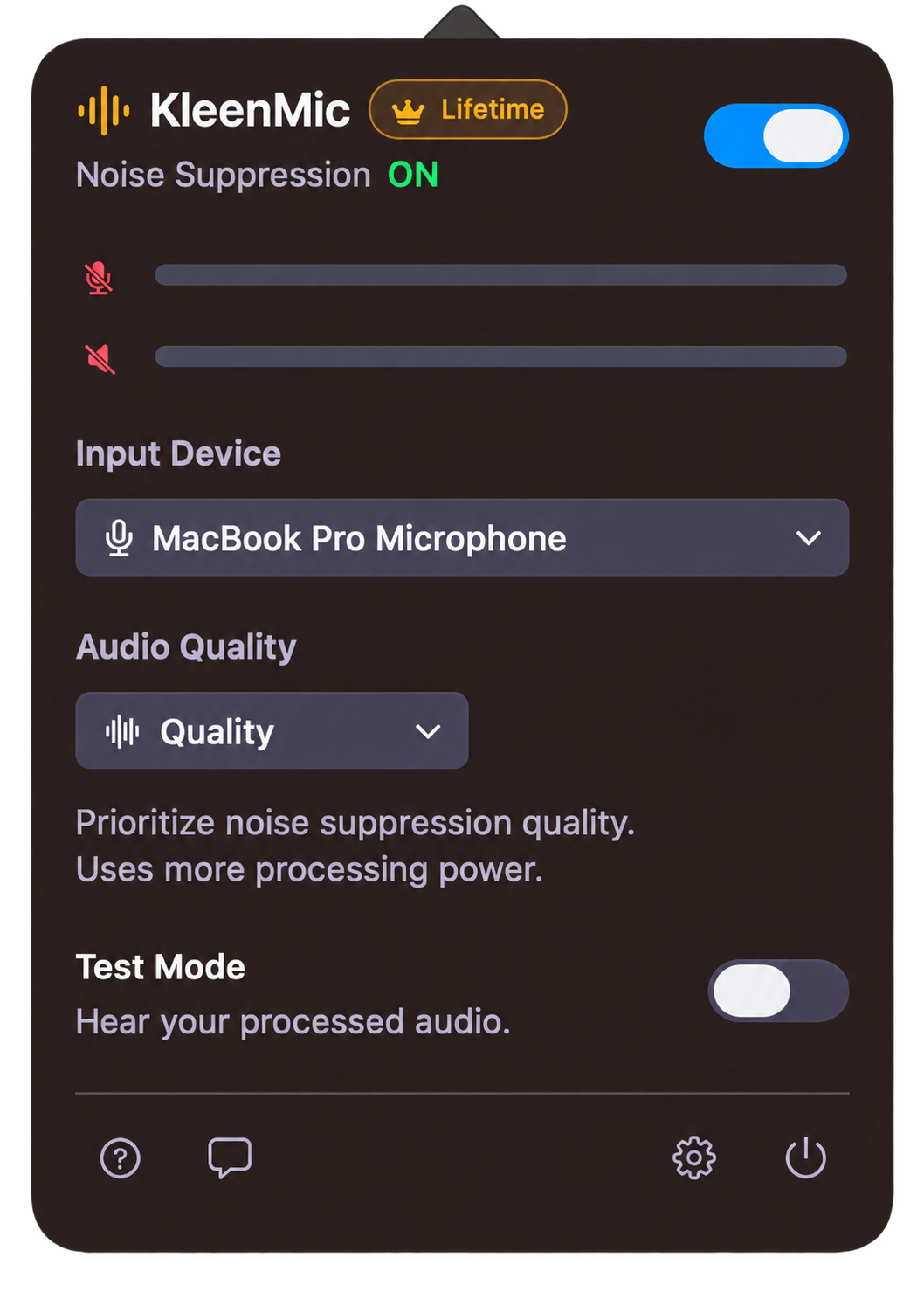
KleenMic can be evaluated as a separate microphone-processing route on Apple Silicon with macOS 14 or later. Choose your real microphone in KleenMic and enable noise removal. Then select KleenMic Microphone as the OBS input.
Initially compare that route with OBS’s extra suppression bypassed, then test any combination you actually need. Keep only one copy of the microphone in the recording. Use headphones for KleenMic’s live Test Mode and turn that monitoring off after checking.
This guide describes a route to verify; it does not report a newly measured OBS integration or a quality ranking. KleenMic processes your incoming microphone signal, not an already-recorded video file. The setup guide explains physical and virtual input selections.
Make a small comparison you can repeat
- Keep your microphone, seat and input gain unchanged.
- Record a normal sentence, then a quiet first word after a pause.
- Repeat while typing for a few seconds.
- Save a no-filter reference and a version with one selected filter.
- Listen at the same playback level for missing syllables, remaining noise and distracting changes in tone.
- Choose the version that makes the whole message easiest to understand.
For a voice-and-camera recording, include a visible hand clap so you can check sync in the saved file. Judge that file, not only a monitor feed. These steps produce evidence for your setup without assuming another person’s preferred settings will match it.
If the result still sounds wrong
Swipe sideways to see every column.
| What you hear | What to inspect next |
|---|---|
| Your voice twice | Duplicate microphone capture and monitoring paths |
| Missing quiet words | Gate thresholds and stacked speech processing |
| Noise while speaking | Physical placement and continuous suppression |
| Distortion in the raw input | Microphone gain or the physical input |
Use the quiet-word diagnostic for clipping, or the Mac microphone guide if the source is silent. Preserve a working reference before changing more settings.
Common questions
Is OBS noise suppression available on Mac?
OBS documents its Noise Suppression filter for macOS. Check the methods offered by your installed build rather than assuming every Windows option is available.
Will a noise gate remove my keyboard while I speak?
A gate closes below its threshold. When it opens for your voice, typing in the same microphone path can remain audible. Test simultaneous speech and typing.
Should I run OBS suppression and KleenMic together?
Compare each alone first, then any combination needed for your recording. Keep the setup that preserves whole words; this guide establishes no universal winning combination.
Sources and current details
Details reviewed on 22 October 2026. Older interface examples are dated in their captions. App menus and plan details can change.