KleenMic
Quick answer
Download KleenMic, open it with an internet connection and choose your microphone. Your 72-hour trial starts at first launch. No card is collected for the trial, it does not turn into a subscription, and you choose whether to buy the $20 lifetime license.
What the free trial includes
The trial includes microphone noise removal, echo control, Auto, Quality and Efficient modes, and live Test Mode. It lasts for 72 hours from first launch, rather than 72 hours of call time. Closing the app does not pause the period, and reinstalling does not start another trial.
You need an Apple Silicon Mac running macOS 14 or later. Intel Macs are not supported. Keep an internet connection available when you start or reopen the trial. Microphone filtering itself runs on your Mac.
Start the trial without a credit card
- Download the KleenMic installer and open it.
- Follow the installation steps. If this is a work Mac, use your organisation’s approved installation process.
- Open KleenMic from Applications and allow microphone access when macOS asks.
- Choose the built-in, USB or headset microphone you normally speak into.
- Turn on noise removal and start with Auto mode.
You do not need to visit checkout, enter payment details or create an account to try the app. If you are asked for a purchase key, that is for activating a paid license; it is not a requirement for an eligible first trial. Our full setup guide covers installation and permissions.
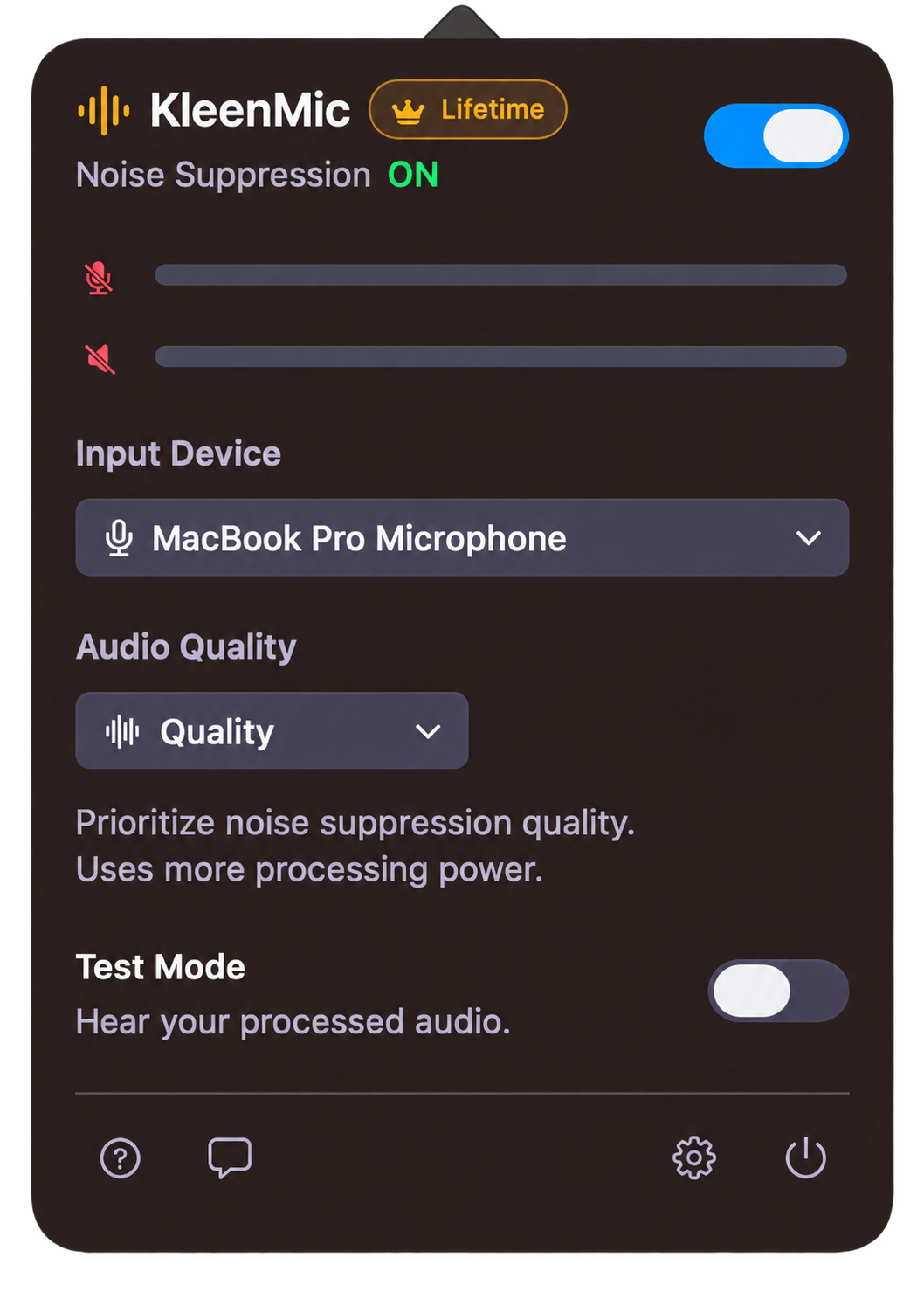
Choose KleenMic in Zoom, Google Meet or Teams
KleenMic needs two microphone selections. Inside KleenMic, select your physical microphone. Inside your calling app, select KleenMic Microphone. Installing the app alone does not change the input your meeting uses.
- Zoom: open Settings → Audio and choose KleenMic Microphone in the microphone selector.
- Google Meet: open Settings → Audio and choose KleenMic Microphone under Microphone.
- Microsoft Teams: open Settings → Devices and choose KleenMic Microphone, or use the microphone controls before joining.
Keep your usual headphones or speakers selected for playback. For app-specific help, follow the Zoom, Meet or Teams guide.
Use the trial to test a real call
Put on headphones and enable Test Mode in KleenMic. Say a short sentence at your normal volume, then repeat while typing or with your usual fan running. Test Mode lets you hear the processed microphone without saving a recording. Turn it off when you finish.
Next, make a private test call with another device using headphones, or a person who agrees to help. Ask whether your words remain complete and whether the unwanted noise is less distracting. Test in the room where you actually work. Change one setting at a time if the voice sounds thin or words are clipped.
The sample below plays a saved recording. It is a useful preview; the installed trial is how you check your own voice, room and microphone.
Listen to KleenMic
Hear the original noisy input and the same input processed by KleenMic. Use your trial to check your own voice, microphone and calling app.
10-second audio sample
A controlled mix processed with KleenMic Quality. Same input, timing and playback gain. Sources and method.
What happens when the three days end?
The trial ends automatically. You are not charged, and there is no trial subscription to cancel. Noise processing turns off while microphone passthrough remains available, so the selected microphone can still carry unfiltered sound.
If you want to keep the audio features, the lifetime license costs $20 USD once for one Mac. Applicable taxes are shown at checkout. Buying is a separate choice. Enter the key from your receipt in KleenMic’s trial or license panel to activate it.
A paid license needs internet for activation and a successful online check at least every 30 days for continued processing. Read the trial and purchase terms and current price before buying.
If the microphone is missing or the trial will not start
Check the Mac requirements, your internet connection and microphone permission first. If the calling app was open during installation, close and reopen it, then look for KleenMic Microphone again. Check the input separately in KleenMic and in the calling app.
If you previously used the trial on this Mac, reinstalling will not reset it. If you think access is incorrect, contact support with your app version, macOS version and what the license panel shows. The microphone checklist helps separate an input problem from a filtering problem.
Common questions
Does the KleenMic free trial need a credit card?
No. You can start the three-day trial without a payment card or account. Checkout is only for a purchase you choose to make.
Will I be charged when the trial ends?
No. The trial does not automatically become a paid plan. Processing turns off after 72 hours unless you activate a purchased license.
Is KleenMic free forever?
KleenMic is a paid Mac app with a 72-hour free trial. Continuing to use its audio processing requires the $20 USD lifetime license for one Mac, plus applicable taxes.
Can I try it in Zoom, Meet and Teams?
Yes. Set up KleenMic first, then select KleenMic Microphone as the input in each calling app. Use a private call to check the result with your own setup.
Do I need internet during the trial?
Yes, when starting or reopening the app during the trial. Microphone noise removal runs locally on your Mac.
Sources and current details
Details reviewed on 20 October 2026. Older interface examples are dated in their captions. App menus and plan details can change.