KleenMic
Quick answer
For a live call, try your calling app’s noise controls or Apple Voice Isolation first. Consider a dedicated virtual microphone when you need more control across apps. KleenMic filters your outgoing microphone on Apple Silicon Macs; it does not clean an existing file or the other person’s audio.
We make KleenMic. This guide compares documented features and buying terms checked on 22 October 2026. It does not rank the apps by measured sound quality, battery life or latency.
Which sound do you want to change?
Swipe sideways to see every column.
| The problem | The tool to look for |
|---|---|
| Other people hear your keyboard or fan | Live microphone noise suppression |
| You hear another caller’s noisy room | A tool that explicitly filters incoming audio |
| A saved video or audio file contains noise | Recorded-file cleanup in an editor or dedicated app |
| You want less room noise in your ears | Headphones with suitable listening isolation or active noise cancellation |
These jobs can overlap, but one feature does not imply the others. A virtual microphone changes what your calling app receives. It does not make your spoken voice quieter to people beside you.
Try the free controls before installing anything
Check which microphone the call actually uses. A display microphone across the desk may hear more room sound than the headset you intended to select. Move the intended microphone closer if practical, keep it away from direct fan airflow and make a private call.
Then try the noise control in your main calling app. Our Zoom, Google Meet and Teams guides show where to start. Apple Voice Isolation is another included option when the app and Mac expose it. Its availability varies; the Mic Mode guide explains that distinction.
If the listener can follow every word and the background is no longer distracting, you may already have a suitable setup. Add another filter only when there is a remaining problem or a workflow you want to simplify.
Compare the live-microphone options
Swipe sideways to see every column.
| Option | Cost or requirement | Useful distinction |
|---|---|---|
| Apple Voice Isolation and app controls | Included where supported | Start here for one calling app and straightforward needs |
| KleenMic | 72-hour trial, then $20 once for one Mac; Apple Silicon, macOS 14+ | Dedicated outgoing microphone filtering and echo control |
| SoundVeil | 7-day trial; $5 monthly, $48 yearly or $99 lifetime | Dedicated Mac microphone filter with several payment choices |
| Krisp Core | $16 per user/month, or $8 per user/month billed annually | Noise cancellation bundled with meeting features |
| Wave Link 3 | Free mixer; macOS 15+ in Elgato’s current guide | Microphone effects and broader audio routing; check each effect’s availability and price |
| MetalVoice | Free, open-source Mac option; follow its current setup requirements | More setup, including a virtual audio cable such as BlackHole |
This is a shortlist of different approaches, not a sound-quality league table. Free software can be enough. A paid utility can be worthwhile if it improves your actual calls or reduces setup you do not want to manage.
When a dedicated microphone filter makes sense
A shared virtual microphone is useful when you move between several calling apps. You choose the real microphone in the filter, then choose its virtual input in each app. Each call still needs the correct input selection.
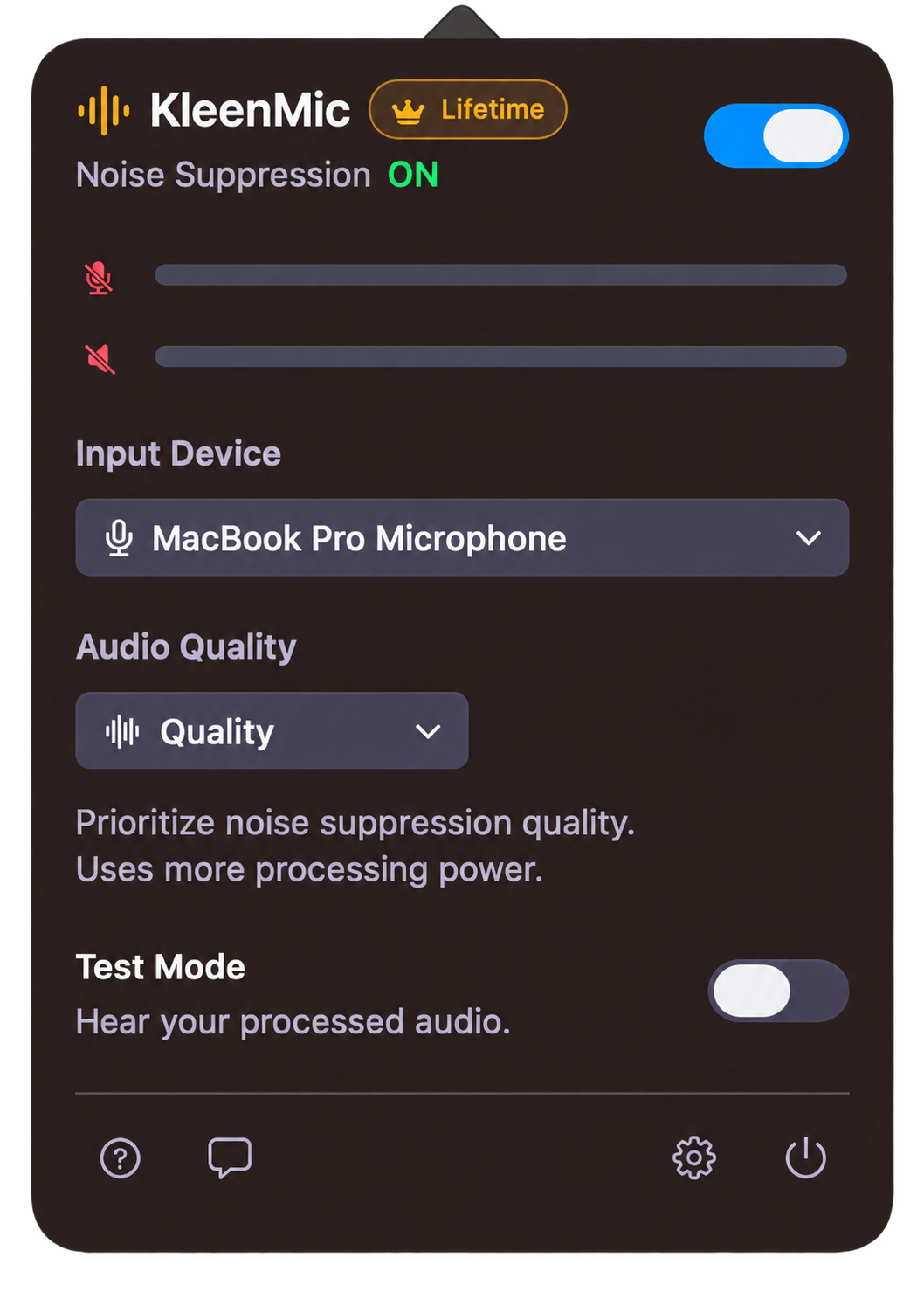
For KleenMic, select your physical input inside the menu-bar app and KleenMic Microphone in the call. Leave your usual headphones or speakers selected for playback. Its three modes are Auto, Quality and Efficient. The setup guide explains the route and live Test Mode.
KleenMic’s audio processing runs locally. Its trial needs internet when starting or reopening; paid processing needs successful verification at least every 30 days. The trial requires no card or account and does not automatically charge you. See the full trial terms.
Decide whether you need a meeting bundle
If you already use recording, transcription or notes, list those features before changing apps. Replacing a bundle with a microphone filter may leave a separate job unfinished. KleenMic does not provide notes, transcription or incoming-speaker cleanup.
Krisp documents local noise processing too. Evaluate its recording and transcription separately when comparing privacy. Our Krisp alternatives guide focuses on that replacement decision; the SoundVeil comparison explains the two dedicated Mac options.
Make a comparison that answers your question
- Keep the same microphone, room, position and speaking level.
- Read a normal sentence, pause, then begin another sentence quietly.
- Repeat while typing and with your usual steady background noise.
- Compare one filter at a time. Note any processing still enabled in the calling app or macOS.
- Ask a remote listener about whole words, then about residual noise.
- Reconnect your headset and check the selected input again.
A quiet gap between sentences is not enough. The filter also needs to preserve quiet words while background sound overlaps them. If words disappear, follow the clipped-speech diagnostic before buying stronger suppression.
Choose for the result and routine you can repeat. There is no need to replace a free setup that already works.
More listening examples and the test method
Hear separate keyboard, fan and lower-level speech examples, with the same input and playback gain. Audio test method (English).
Common questions
What is a free noise cancellation option for Mac?
Try your calling app’s included controls or Apple Voice Isolation in a supported app. Wave Link and open-source tools offer other approaches, with their own system, effect and setup requirements.
Does KleenMic remove noise from the other person’s microphone?
No. KleenMic filters the microphone you send to the call. Choose a product that explicitly supports incoming-audio cleanup if that is your problem.
Can a live microphone filter clean a recording I already made?
No. Use a recorded-audio editor or cleanup tool for an existing file. A live microphone filter must be in the capture path when the recording is made.
Sources and current details
Details reviewed on 22 October 2026. Older interface examples are dated in their captions. App menus and plan details can change.